Your step-by-step guide
Are you forever resetting your grids to sort by a specific column and want the system to remember your settings?
The example that follows demonstrates how you would populate a Sales Order and sort your grid, with the added feature that your WinMan system will automatically remember your user setup.
Note: this is applicable to all grids across your system.
1. Add your products to your Sales Order by clicking ‘Add Item’
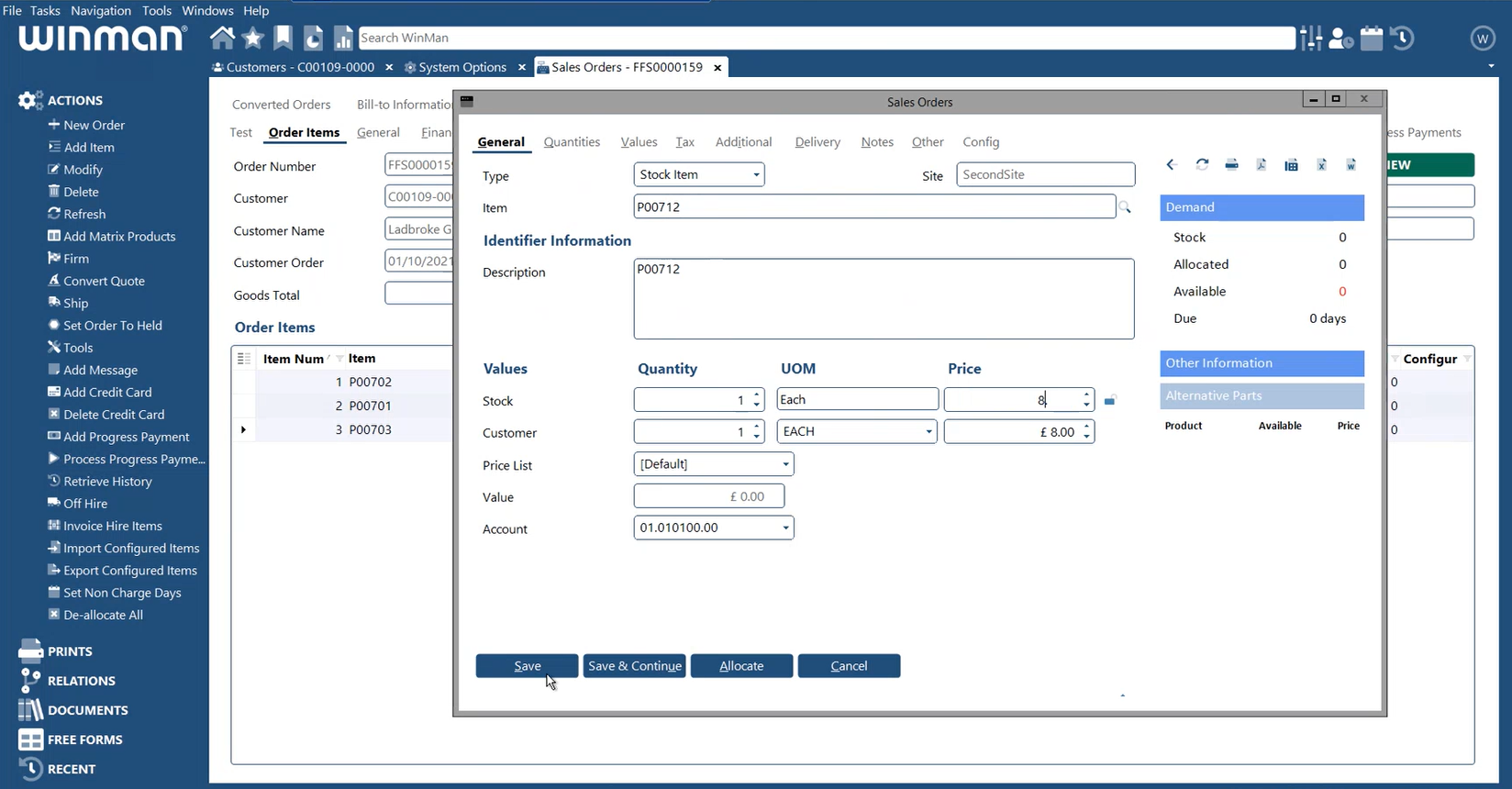
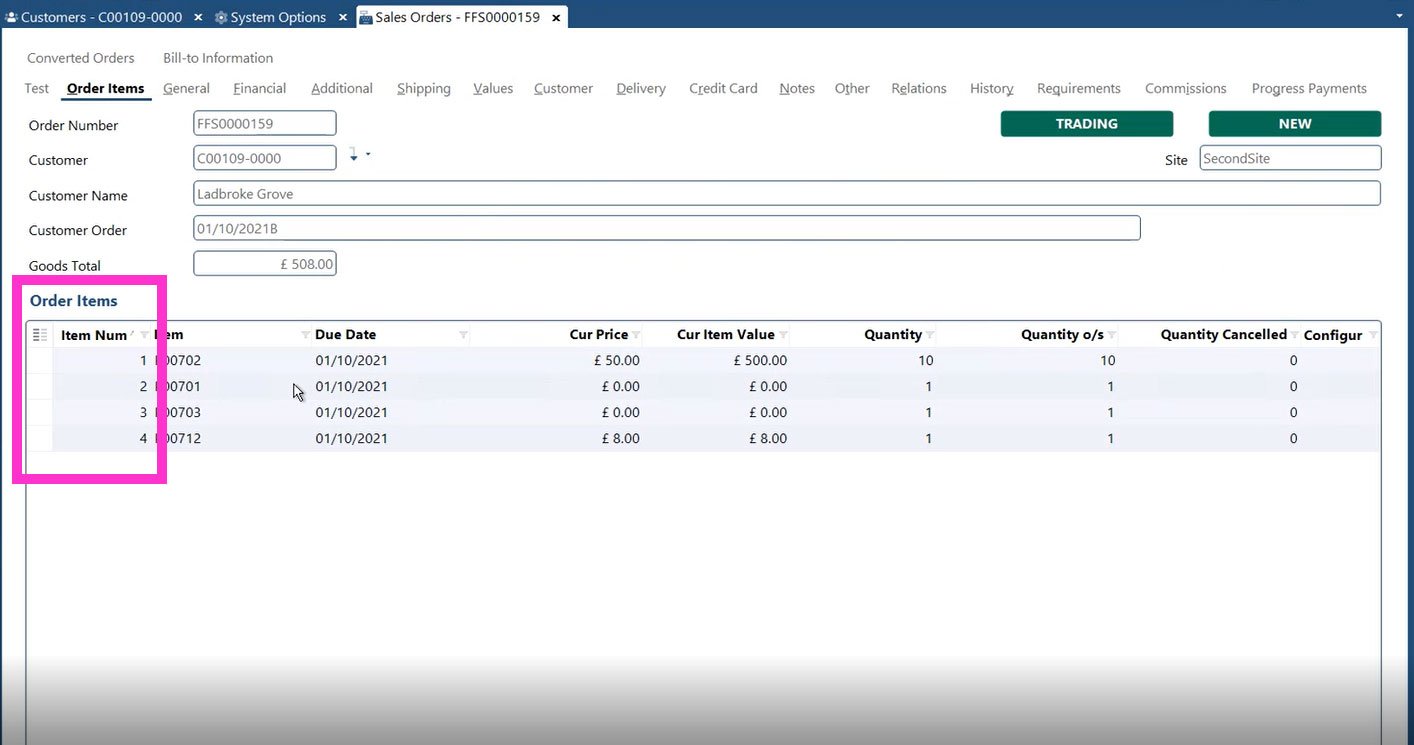
2. Set your sort order
In the past, when you used to edit your columns via the right click ‘Manage columns’ options, the system used to remember the columns added so that next time you create a Sales Order it would display the columns you’d set…
For example this grid used to automatically be set to sort by ‘Item Number’
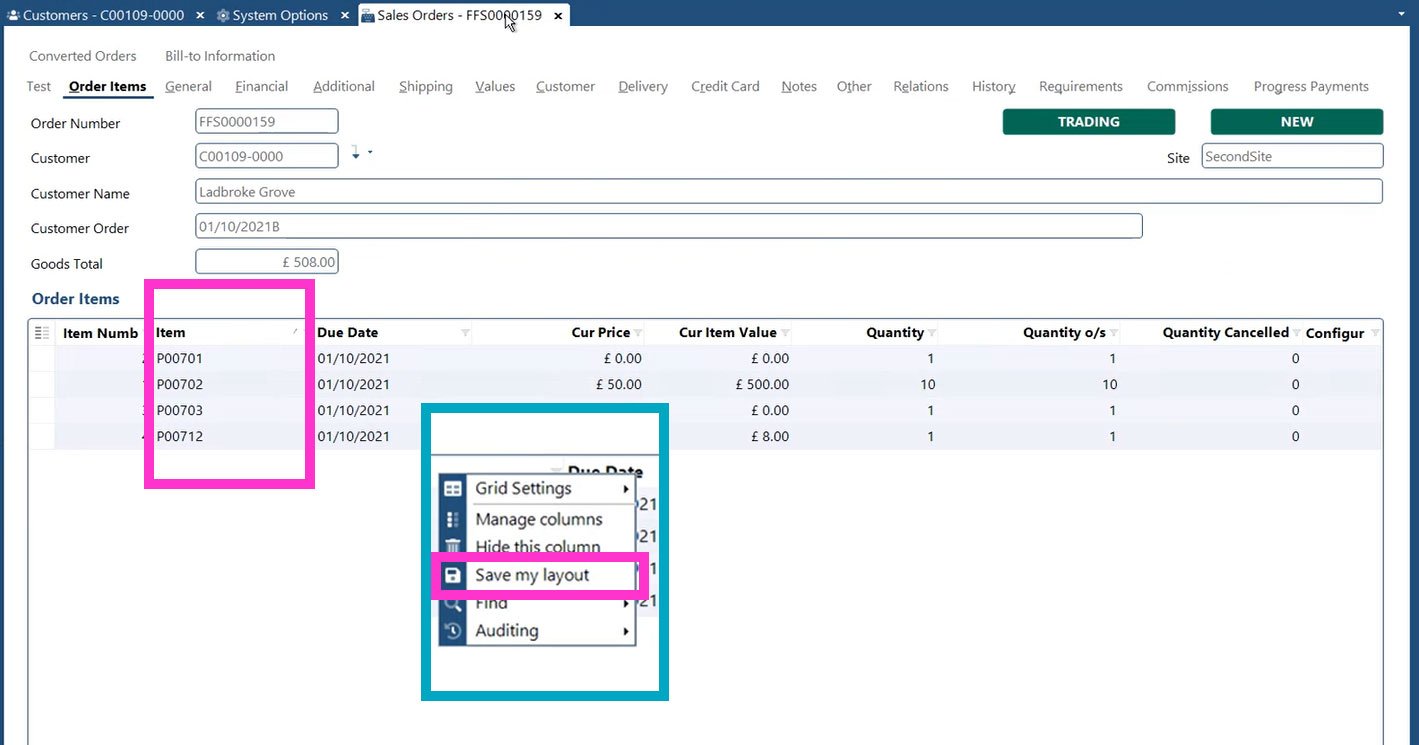
Now, you can right click to ‘Save my layout’ to remember your preferred sort order, which it will retain until you save over it, the sort column displays a  icon.
icon.
Read full details and access any associated tools by clicking the button below:
VIEW THE UPDATE

 Business Intelligence
 Customer Relationship Management
 Document Management
 Finance Management
 Governance, Risk & Compliance
 Human Resources
 Planning and Scheduling
 Product Data Management
 Production Management
 Project Management
 Retail Management
 Sales Management
 Service Management
 Small and Midsize Enterprises
 Supplier Relationship Management
 Supply Chain Management
 Warehouse Management
 e-Commerce



.png?width=120&height=120&name=MicrosoftTeams-image%20(4).png)